Tournaments for poker clubs.
Find your next game, track how you finish, and run your club — all in one app for iOS and Android. Free to play.


For players
Everything you need to find a seat, get in the game, and follow your own results over time.
Discover tournaments
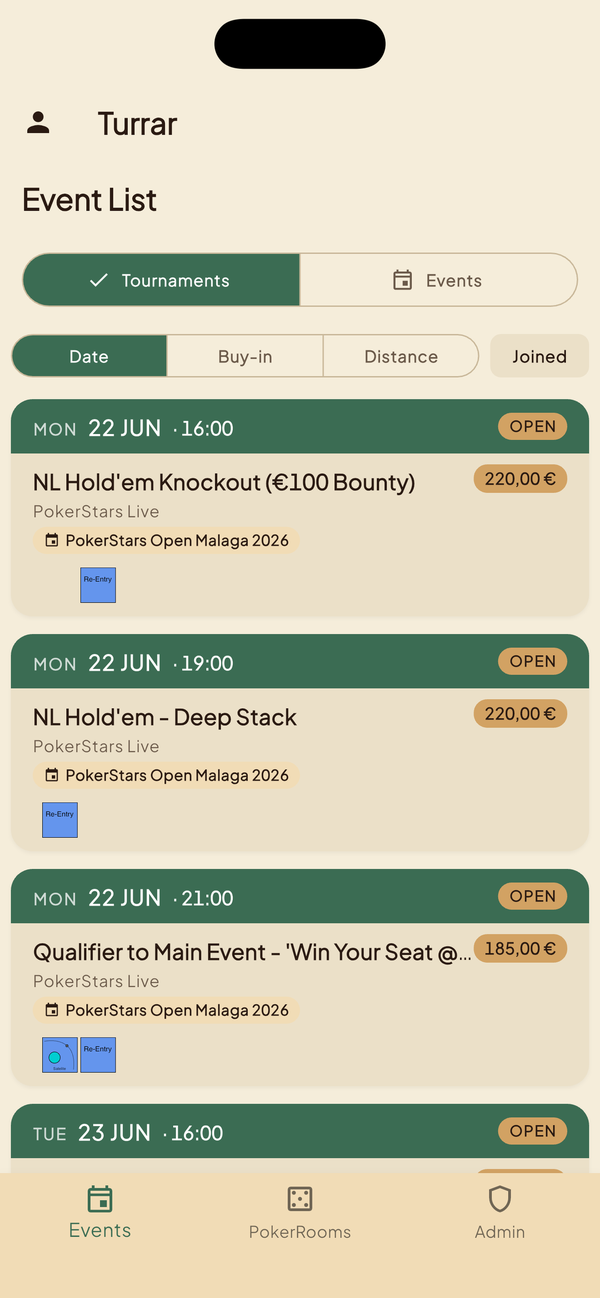
Browse upcoming events at every room you're a member of. Filter by date, buy-in, game, distance, or whether you've already joined — then tap in for structure, prize pool, and seats remaining.
Join & waitlist
Register in a tap. When a tournament is full, take a place on the waitlist and see exactly where you are in the queue — first come, first served.
Results & stats
Log how you finished — with a friendly prompt after you play — and build a private history of your games, plus headline stats that grow over time.
Search & alerts
Filter and search across tournaments, save the searches you care about, and get notified when a new game matches — a daily digest on the free tier, instant with Pro.
Follow your rooms
Keep a watchlist of the rooms you care about and get alerted the moment they post a new event — even rooms you haven't joined yet.
Series & leaderboards
Follow multi-tournament series with points and a live leaderboard, all the way to the final.
Calendar sync
Export the tournaments you've joined to your own calendar as a live, auto-updating feed, so your next game is always where you expect it.
Cash games
See the cash sessions your rooms have scheduled and join the digital waitlist so you know when a seat opens.
For clubs & admins
Run your room the way you already do — Turrar handles the calendar, the members, the leaderboards, and getting the right players in.
Schedule events & festivals
Publish single tournaments or full festival series with venues, dates, structures, descriptions, and websites. Save templates for one-tap reuse, or set true auto-recurrence with Premium. Players see them the moment they go live.
Series & leaderboards
Run a season with a live leaderboard. Premium adds multiple concurrent series, custom scoring (linear, hyperbolic, top-N or your own), tiebreakers, and automatic awards.
Manage members & access
Approve or deny join requests, remove or ban members, and choose one of four privacy modes for how open your room is (below).
Announce & notify
Broadcast announcements to your members. Push and in-app notifications keep everyone in the loop — with per-member controls, plus scheduling and delivery analytics on Premium.
Brand your club
Give your room its own accent colour, logo and banner, and drop the prominent Turrar branding — your club, your look (Premium).
Walk-in players
Add visitors and members straight from the tournament screen — no waiting for them to install first. Convert visitors to full members when they're ready.
Waitlists & automation
Promote from the waitlist by hand, or let Premium auto-promote the next player the moment a seat opens, with a claim window.
Integrations & exports
Premium pushes new events and announcements out to Discord, Telegram, email or a webhook, imports members in bulk, and exports your roster and results to CSV.
Plans & pricing
The core loop — discover, join, play, and run a basic club — is free, forever. Player Pro and Owner Premium add depth for regulars and busy clubs — they're coming soon, and Turrar is free while we finish them. The prices below are what we're planning; each paid plan will start with a 14-day free trial.
Free
The whole core loop, permanently.
- Discover, join and waitlist tournaments, events & cash games
- Log your results — last 3 months of history & stats
- Follow up to 5 rooms · keep 2 saved searches (daily digest)
- Basic name / city / date filters
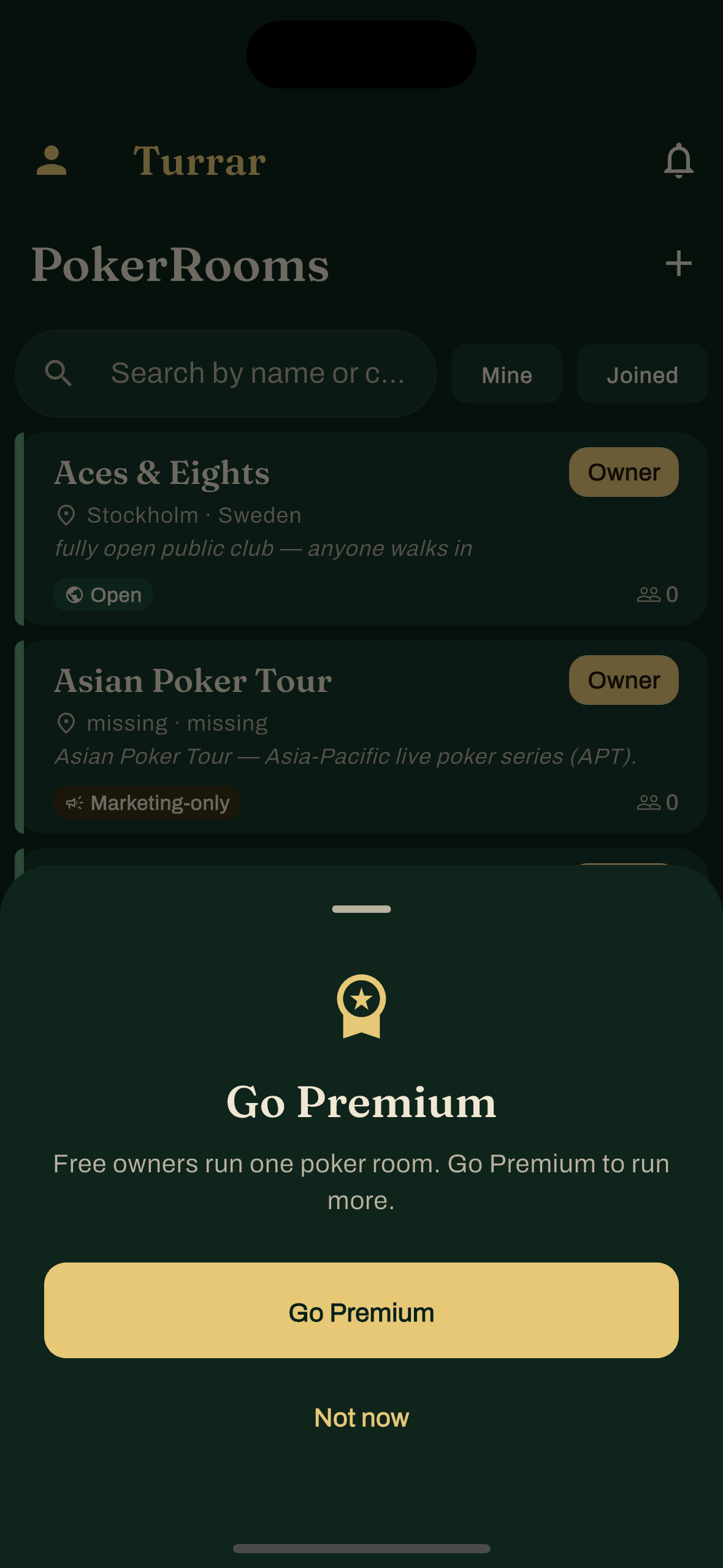
- Run a club: 1 room (plus 1 hidden home-game room), one active series, up to 12 tournaments & cash games a year
Player Pro
or 490 kr / year (~2 months free)
- Everything in Free — zero ads
- Full results history & stats, with cuts, CSV export and cross-room placement analytics
- Advanced filters: buy-in band, game type, distance & filter stacking
- Unlimited saved searches & room follows, with instant alerts
- Live auto-updating calendar feed of your games
- Advanced per-room / per-game notification rules
Owner Premium
or 1890 kr / year · includes all of Player Pro
- Everything in Player Pro, for you and every room you own
- Unlimited tournaments & cash games — no yearly cap
- Multiple rooms, including multiple hidden rooms
- Multiple series, custom scoring, tiebreakers & auto-awards
- Auto-recurring tournaments & auto-promoting waitlists
- Custom branding / white-label & a Premium badge
- Discord / Telegram / email / webhook integrations, bulk import, CSV export
- Announcement scheduling & room analytics (attendance, fill-rate, retention)
When they launch, subscriptions will be billed through the Apple App Store or Google Play and renew automatically until cancelled — cancellable anytime from your store account. Prices are planned in Swedish kronor (SEK) and may change before launch; your local price will be set by the store. Turrar never charges your club's members for their dues — those stay between your room and its players.
Four ways to run a pokerroom
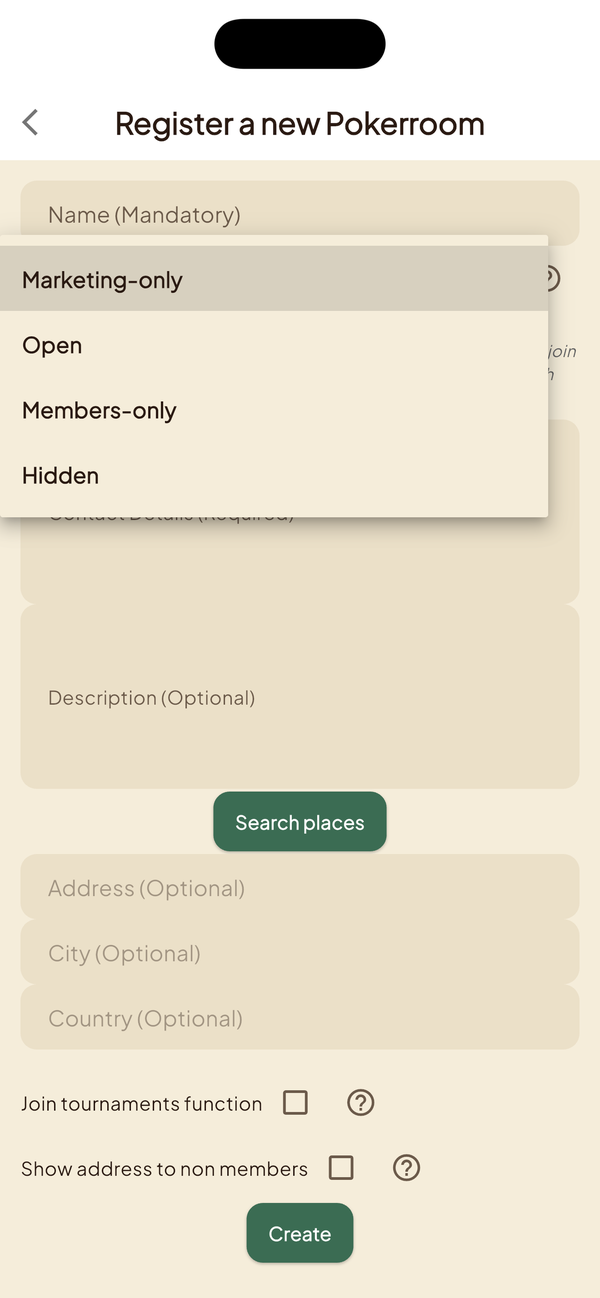
Every Turrar pokerroom chooses one of four privacy modes. Pick the one that fits your venue and your players — change anytime.
Marketing-only
Your room appears in the public directory so players can discover it, but no one joins from the app. Good for venues that handle membership at the door and just want a Turrar presence.
Open
Anyone with a Turrar account can join in one tap. Best for casual rooms welcoming new players and growing the member base.
Members-only
Visible in the public directory, but joining requires admin approval. Best for established clubs that vet members before granting access.
Hidden
Invisible to anyone who isn't already a member. The only way in is an invite link from an admin. Best for private home games and tournament series with curated guest lists.
Bring the right players in
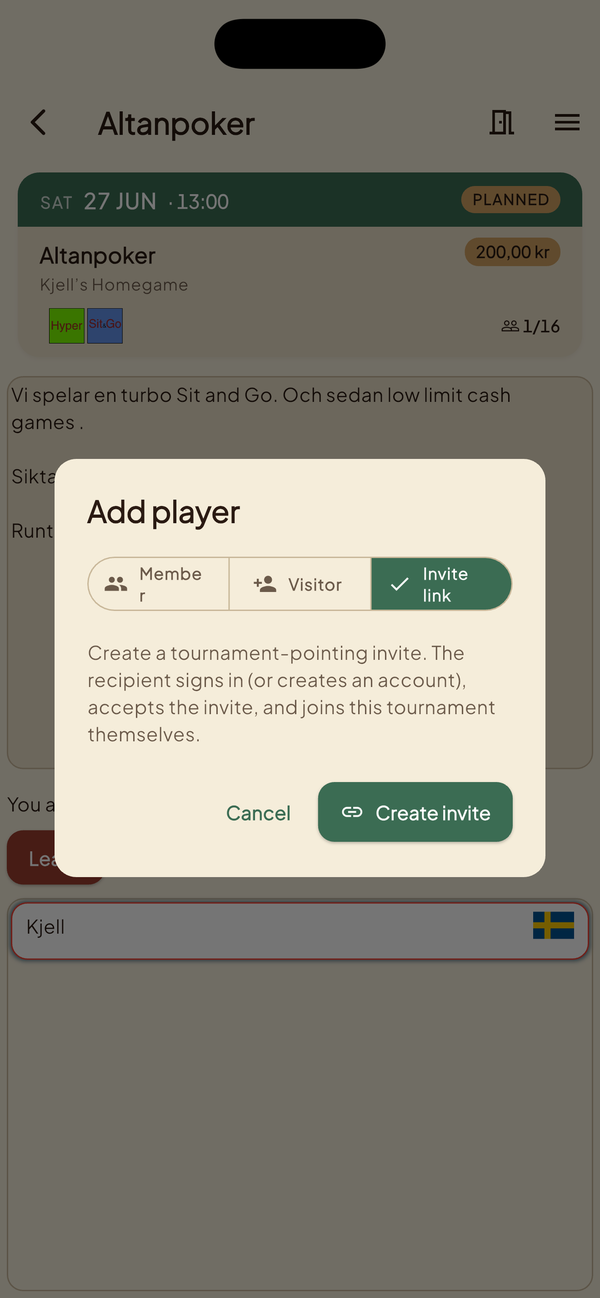
Invite links work the same way on iOS and Android. Admins mint a link from any room or tournament; the recipient taps, lands in the right place, and joins.
- Tournament-pointing links — recipient lands on the tournament details screen, ready to join.
- Room-pointing links — recipient lands on the room, requests membership in one tap.
- Auto-grant membership — optional toggle that skips the approve-member step for trusted invites.
- Expiry + max-uses — admins control how long the link lives and how many times it can be redeemed.
- Revocable — turn off a link at any time, even after it's been shared.
Made for the members' club
Turrar's design — "The Green Room" — takes its cues from the felt: poker greens, brushed brass, and a warm serif. Choose a light or dark look in Account → Appearance. Sign in with Apple, Google, or email; your data and privacy are yours to manage in-app.
Help & support
See the help pages for a walkthrough of accounts, rooms, tournaments, and plans, or email support@turrar.com.